Check Parameters
Overview
Check Parameters audits how completely your model is filled in. Pick the categories and the exact parameters you care about, and the tool scans every element — optionally including loaded Revit links — reporting each parameter's value plus a fill percentage per element. Results open in a schedule-like grid, one tab per category, where you can edit values inline and write them back to the model, highlight any element in the view, and export the whole audit to Excel.
How to use
- In the B45 Labs | Coordination tab, open the QA/QC panel and click Check Parameters.
- Move the categories you want to audit into the Selected list — only schedulable model categories are offered. Tick Include Links to add categories from loaded Revit links.
- For each selected category, choose the parameters to check. The order you arrange them in becomes the column order in both the results grid and the Excel export.
- Optional: save your category-and-parameter picks as a preset (JSON) to reuse on the next model — presets can also be imported from an Excel file.
- Click Run Check. The audit opens in a separate window with one tab per category and a fill percentage for every element.
- In the results, edit a value and apply it back to the model, right-click a row to copy its Element Id or highlight it in the view, or export the audit to Excel.
Screenshots
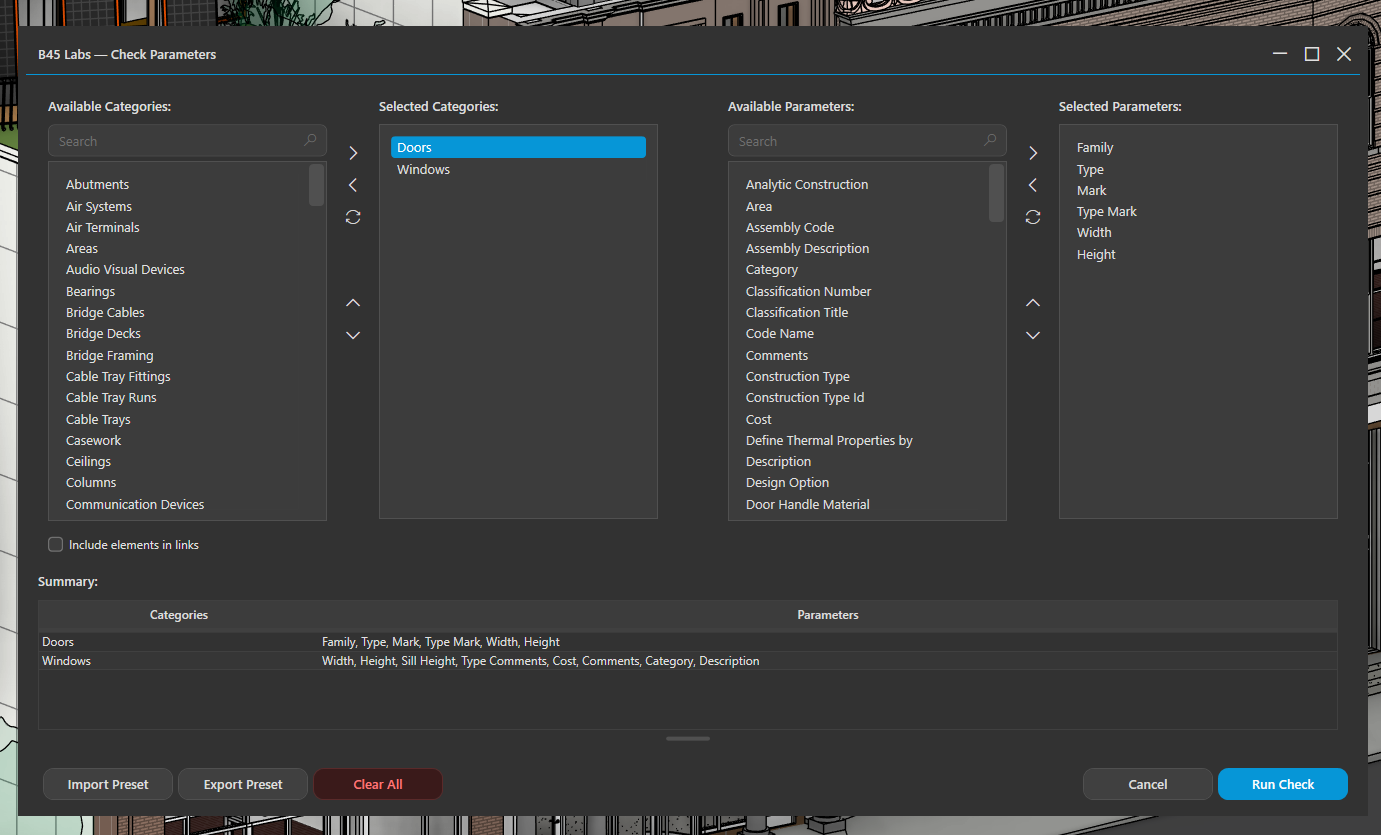
Setup: pick the categories and parameters to audit
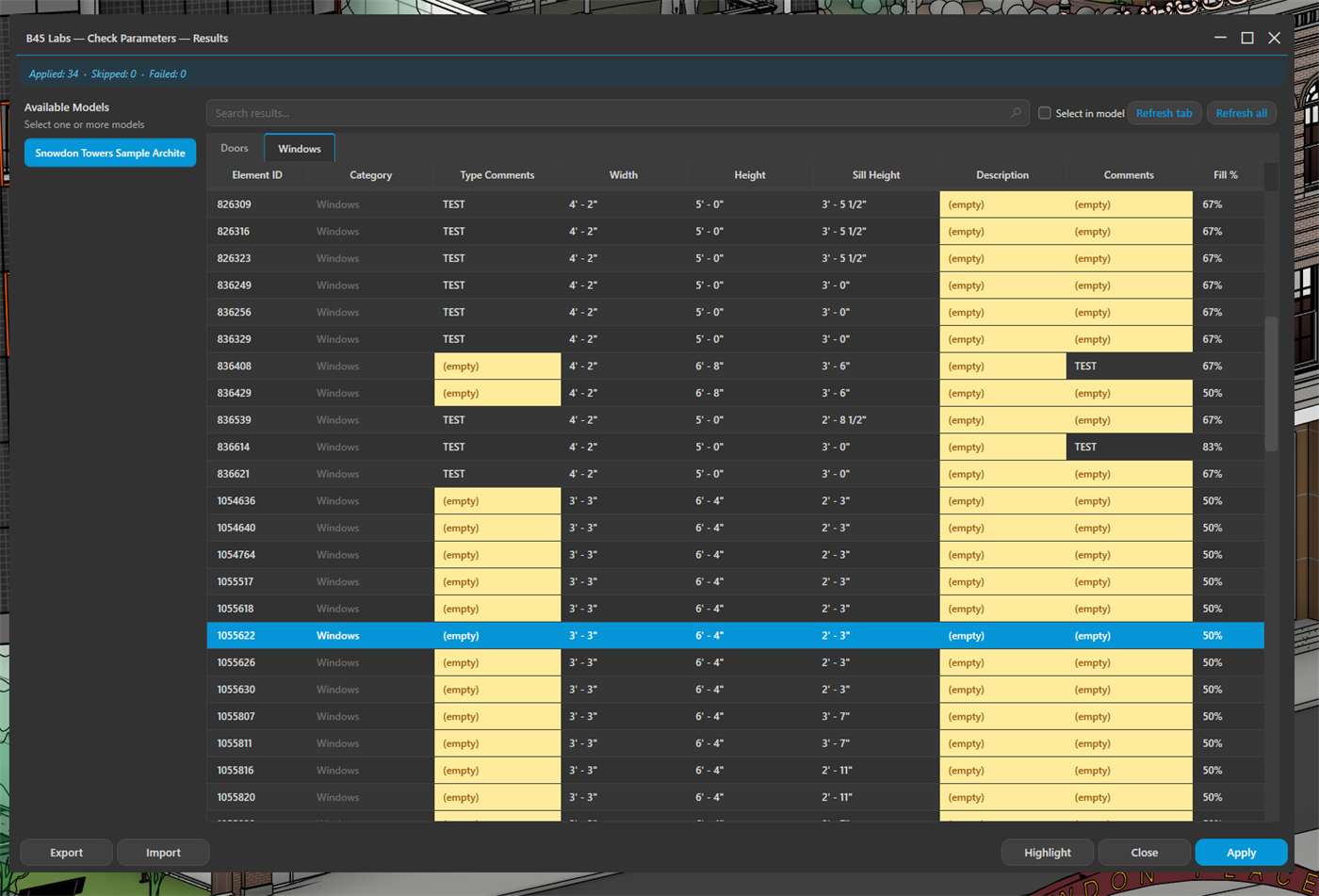
Results grid: parameters by category with a fill percentage per element
Tips & Notes
- The fill percentage is the fastest way to spot elements missing required data — scan it before a delivery or model handoff.
- Presets make BEP parameter checks repeatable: build the list once and load it on every project.
- Include Links lets you audit a consultant's model without binding or copying its parameters.
- The Excel and PDF exports carry your company name, accent colour, and logo once you have set them in User Profile.
Limitations
- Only model categories that accept bound parameters are listed — annotation and view-specific categories are out of scope.
- Inline editing applies only to host-model elements with free-text parameters; linked, computed, and read-only parameters stay locked.