Unlock Family Parameters
Overview
Unlock Family Parameters is the Unlock Parameters tab of Family Manager. It batch-clears the formulas that lock family parameters. Pick the families and the parameters, choose per parameter what happens to the value — keep the current value, clear it, or set a new one — and the tool opens each family, clears the locking formula, writes the value across every type in the family, and reloads it into the project automatically.
How to use
- Open the Library pane, launch Family Manager from the side rail, and go to the Unlock Parameters tab.
- Select the families you want to process — every loadable, editable family in the project is listed.
- Click a family to load its parameters (opened on first touch); tick Show locked only to hide the rest.
- For each parameter choose the action: Keep current value, Clear value, or Set a new value.
- Click Apply — each family is opened, modified across all its types, and reloaded into the project in one batch.
- Review the report: families that could not be processed are skipped and listed, and the batch continues.
Screenshots
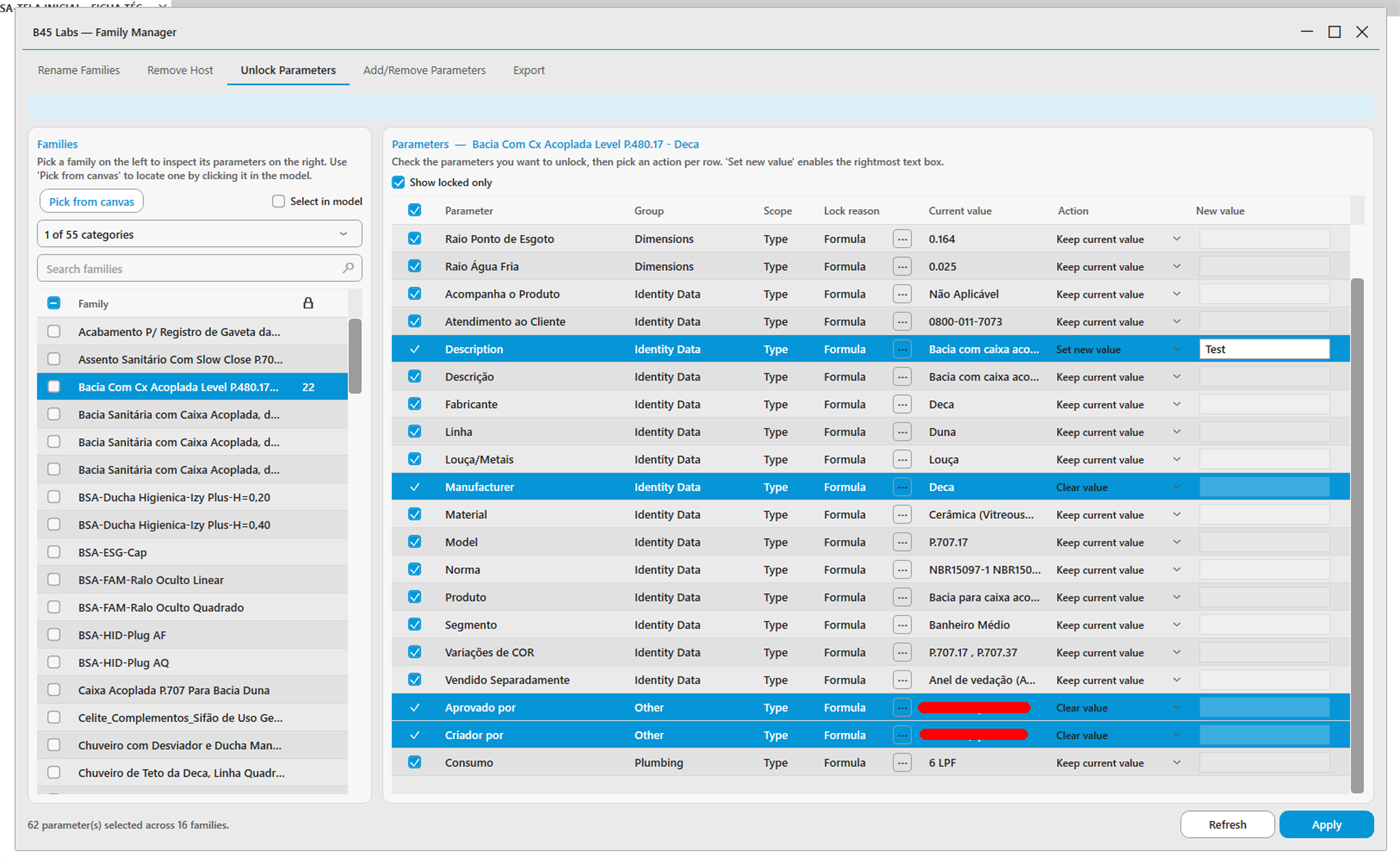
Unlock Parameters tab: per-parameter keep, clear, or set value
Tips & Notes
- Keep current value clears the formula but preserves the value the formula was producing — useful when a formula blocks per-instance edits.
- Every action clears the locking formula; the value written applies to all of the family's types.
- The run ends in a completion notification with a count, so you can start it on a large selection and read the result rather than watching the grid.
Limitations
- In-place families and non-editable families are excluded at collection time.
- A few reporting-flagged parameters cannot be unlocked via the API and are reported when they resist.