User Profile
Overview
The User Profile window stores who you are and how you found B45 Labs — Full Name, Preferred Name, Email, Company, Role, Experience Level, and one or more 'how did you find us' tags. Your Preferred Name drives the greeting shown across the plugin, and a completion indicator tracks how much of the profile is filled. Saving writes the profile locally and best-effort syncs it to B45 Labs in the background.
Export branding
Below your identity, User Profile holds the branding both products put on the files they generate: your company name, an accent colour, and a logo. Set them once and every Excel and PDF report carries them — Check Coordinates, Check Model Health, Check Parameters, Export Worksets, Model Progress, Clash Report Converter, and Model Report Card on the Coordination side, and the Library’s own exports on the other.
How to use
- In the B45 Labs | Coordination tab, open the Main panel and click User Profile.
- Fill in your identity fields — Full Name, Preferred Name, Email, and Company.
- Pick your Role and Experience Level, and tick how you found B45 Labs — you can choose more than one tag.
- Click Save to store the profile locally and sync it, or Skip to close without saving.
Screenshots
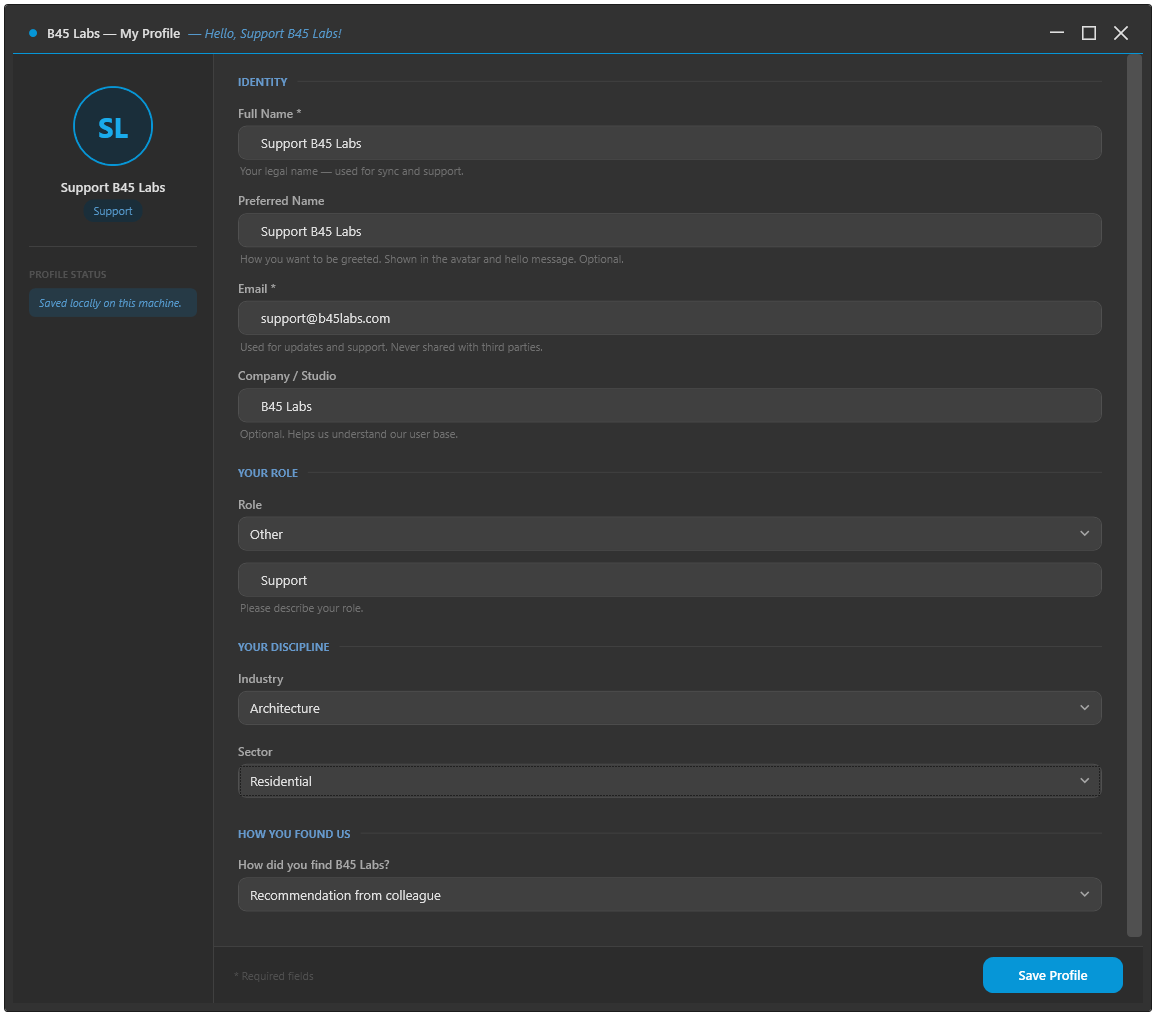
User Profile window
Tips & Notes
- Your Preferred Name is used for the greeting inside the plugin, including the About Me window.
- The profile helps us understand the user base and prioritize the roadmap.
- Fill in the branding fields before a delivery: the reports you export afterwards go out as your company’s documents, and nothing about the export step changes.
Limitations
- Sync needs an internet connection; offline, the profile is saved locally and syncs on a later session.